 HOME
HOME QUICK SEARCH
 AUTHORS
 KEYWORDS
 BUGS
BUGS SAS LEX.ICON orientation - how to use the page?
SAS LEX.ICON is a free, read-only archive of SAS user-group conference papers, presentations, and video recordings. The page is kept online to be both a lexicon of SAS knowledge and to honor the memory of a person very important to the entire SAS community, our iconic Lex Jansen.
Currently the archive serves 37,340 papers and presentation written by 20,875 authors over 16 conferences, spanning the years from 1976 to 2026.
There is no login, nothing to install, and no cookies or trackers. Just pure SAS knowledge condensed in one place.
SAS LEX.ICON is hosted thanks to hospitality of the Faculty of Mathematics and Information Science, Warsaw University of Technology.
Everything is reachable from the top banner available on every page (including this one). There are four main areas:
HOME · QUICK SEARCH · AUTHORS · KEYWORDS and they serve for:
-
Browsing Conferences - from HOME click a conference, then a year.
-
Searching - the QUICK SEARCH looks through every title, author and keyword at once.
-
Finding People - AUTHORS alphabetically lists all authors.
-
Finding Topics - KEYWORDS lists keywords assigned to articles.
1. Browsing by conference
-
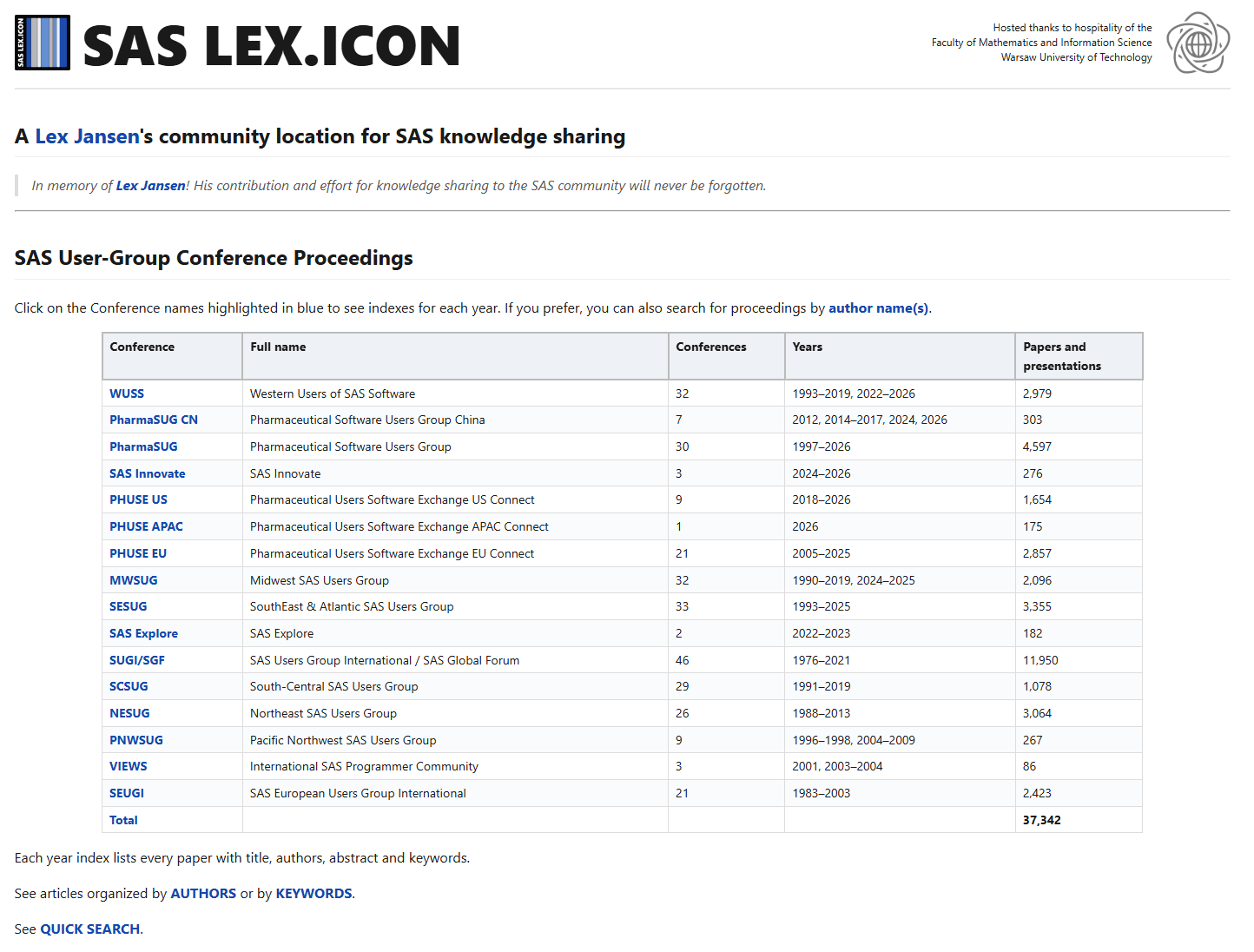
From the SAS LEX.ICON home page click any conference name in blue, e.g. WUSS, PharmaSUG or PNWSUG.
-
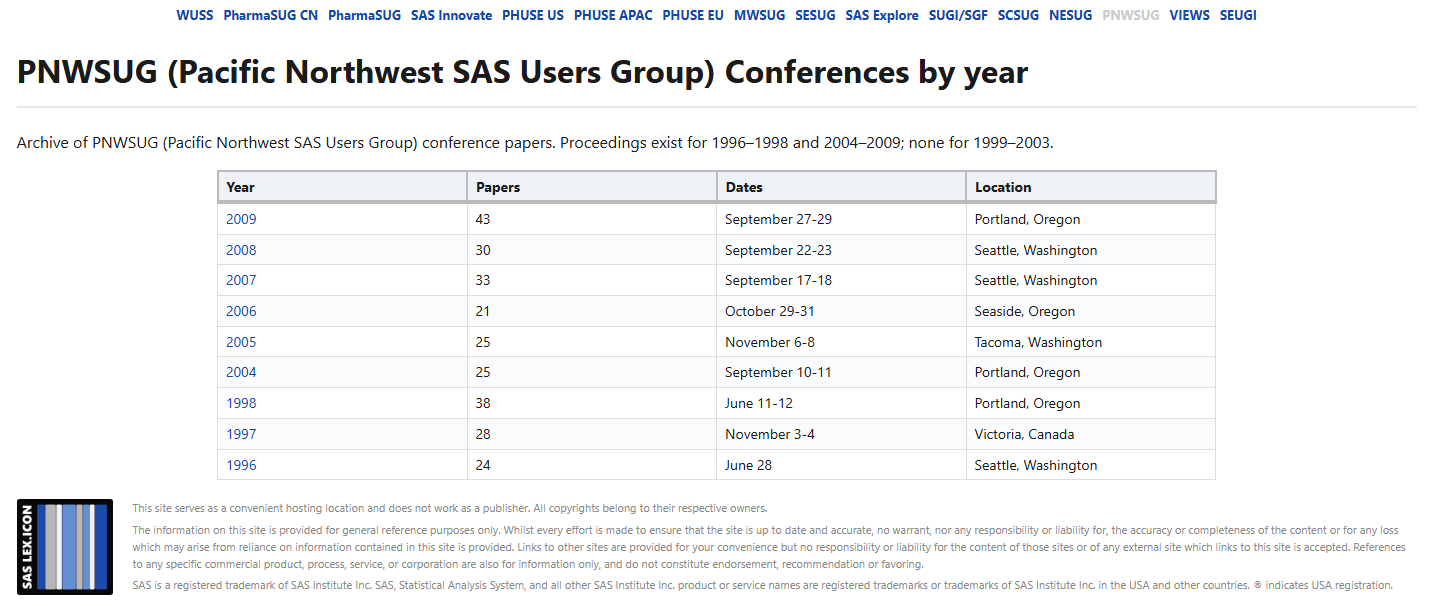
The conference page lists every year with its paper count, dates and location - click a year and you land on that year's articles/presentations table.
Inside a year: columns, sorting, filtering
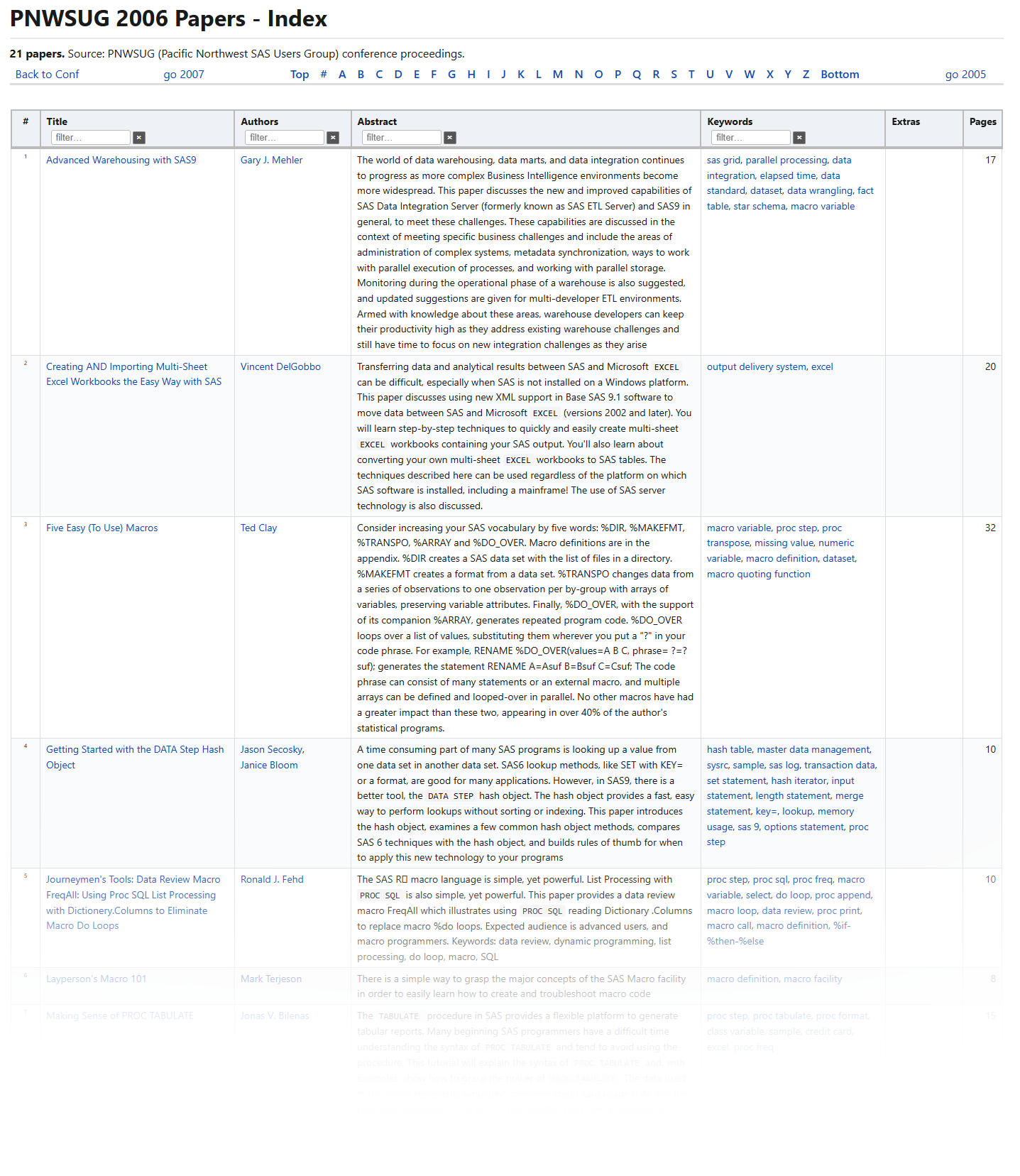
Each row is one paper with columns Observation number (#) · Title · Authors · Abstract · Keywords · Extras · Pages, in that order.
-
Title - click it to open the paper's PDF in a new tab. Hover the title for a thumbnail preview of the first page. [NOTE:] For your convenience, in the SAS LEX.ICON page, we are trying to host and serve local copies of articles to you. Unfortunately, it is not always possible. If the PDF is missing on the SAS LEX.ICON server, an explanation note appears under the thumbnail. If a "source" link exists in the Extras column, SAS LEX.ICON opens it for you. If we don't have a local copy and "source" does not exist, we can't serve the article for you.
-
Authors - one per line. Each name links to the individual author's page.
-
Abstract - may start with
Presentation:orTutorial:when the paper is a talk. SAS keywords (PROC steps, DATA steps, macros) are highlighted as code. -
Keywords - the terms the paper is tagged with. Each keyword links to its dedicated page containing all papers tagged with that keyword.
-
Extras - linked companions for the paper: slides, poster, video, code, or a
sourcelink. A paper can have several. -
Pages - page count of the PDF.
On a big year you do not have to scroll, sorting and filtering are available.
-
Sort - click a column header (Title, Authors, etc.); click again for reverse order.
-
Filter - type 2+ letters into the small box under a header (e.g., "smith" under Authors) and only matching rows stay. The
×clears it. Filters are "combined" so you can for example restrict Authors AND Abstract AND Keywords at once. -
Jump - use the alphabet bar above the table to jump to titles starting with a letter. "Back to Conf" link takes you back to the conference page. The "go year" links will take you to the next or previous year.
2. QUICK SEARCH - the whole archive at once
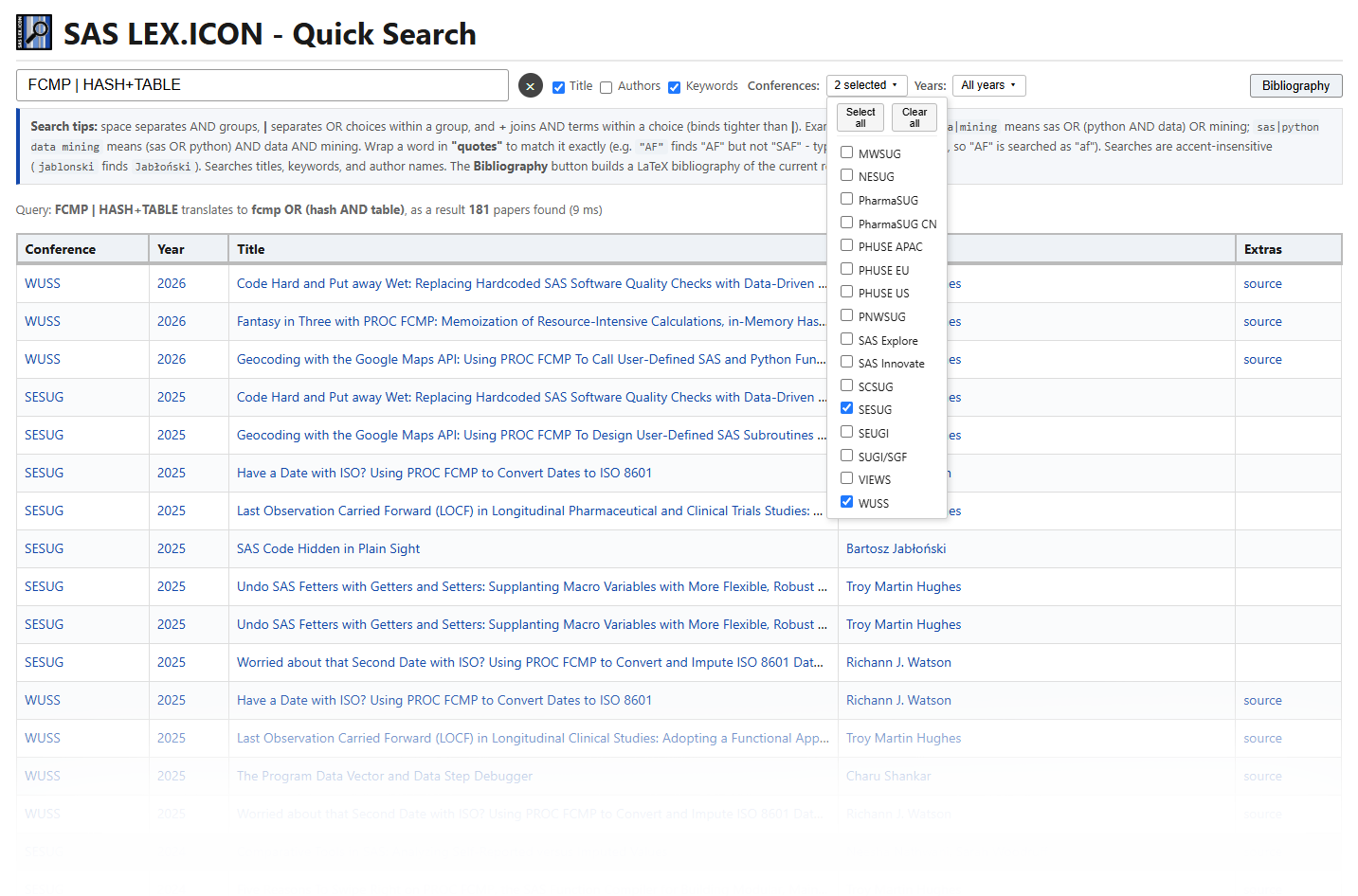
The QUICK SEARCH looks through every paper instantly as you type - in titles, author names and keywords. Type at least 2 characters; results appear and update live, with a count on the right.
The three check-boxes next to the search box choose which fields are searched (Title / Authors / Keywords - all on by default). Additional, "by conference" or "by year", filtering is available too.
Query syntax
Words join as AND or OR groups, freely combined. Your query interpretation is additionally displayed.
| Example | Meaning |
|---|---|
sas python or sas+python |
papers containing both words (AND) |
sas | python |
papers containing either word (OR) |
"look up" |
the exact phrase - finds "look up", not "lookup" |
sas | python data mining |
(sas OR python) AND data AND mining |
"look up"|lookup|look-up |
the phrase "look up" OR lookup OR look-up |
"AF" |
the word AF only - not "SAF", not "AFP" |
Using the results
-
Sort by clicking a column header (Conference, Year, Title, Author(s), Extras); click again for reverse.
-
Hover a title for its page preview, like in the conference year tables.
-
Share a search - the address bar carries your query as a
#hash(…quicktitlessearch.html#sas|python data mining), so bookmarking or sending that link re-runs the same search for anyone. -
Bibliography - the button next to the box turns the current results into citations (next section).
3. BIBLIOGRAPHY - turn results into citations
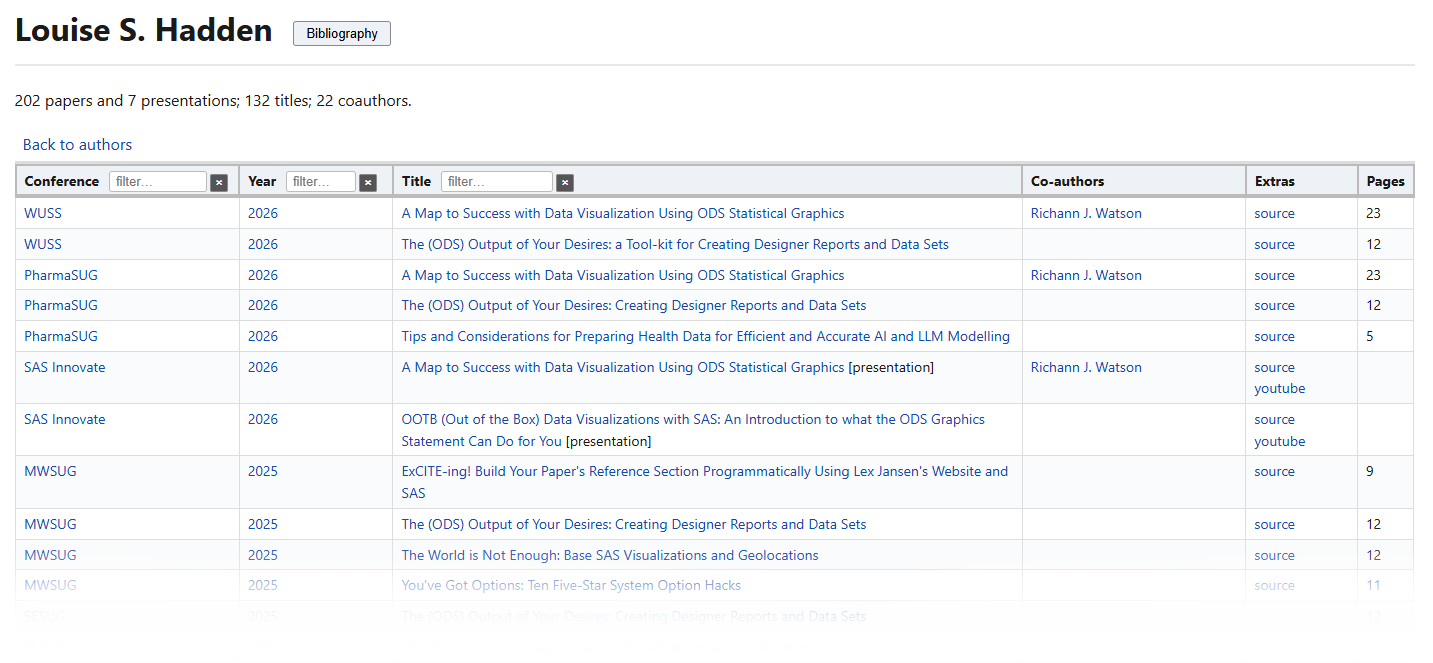
The Bibliography button (right of the search box) works on the current result set. It stays disabled until a search has results. The AUTHORS and KEYWORDS pages have the same button, one click to get that author's/keyword's whole output.
Click it to open a selection window listing every paper with a checkbox:
-
tick exactly what you want - Select all shown or Clear (top bar);
-
narrow the list with the Conference and Year filter groups, each with their own Select all / Clear all (all unticked = nothing shown);
-
tick Local links and every entry points to the SAS LEX.ICON's own PDF (even when an external source copy exists, and regardless of whether the PDF exists locally or not).
Then export:
| Action | What you get |
|---|---|
| Generate (.tex) | a ready-to-compile LaTeX bibliography: amsart preamble, amsalpha-style keys, \href to each PDF |
| Copy .tex | the same LaTeX on the clipboard - the fast path while writing a paper |
| Generate (.txt) | plain text: authors / title / conference line / link, one block per paper |
| Generate (.json) | structured records (authors, title, conference, year, type, link) |
| Copy links | just the PDF/URL list |
Downloaded files are named Bibliography_<search-terms>.tex (from QUICK SEARCH) or Bibliography_<author/keyword>.tex (from an author or keyword page).
For LaTeX users: every \bibitem follows the same pattern:
\bibitem[{Authors}, {Conference} {year}({n})]{author{conf}{year}n{n}}...For example:
\bibitem[A. L. Carpenter, WUSS 2018(1)]{carpenterwuss2018n1}...If there are multiple papers of the author during the same conference+year, the trailing n{n} numbers the item within its conference+year group (the suffix is skipped when the group holds a single paper). The conference letters come from the display name stripped to letters and digits and lowercased (e.g., SUGI/SGF goes to sugisgf, PHUSE EU goes to phuseeu).
4. AUTHORS/KEYWORDS - find papers by person or topic
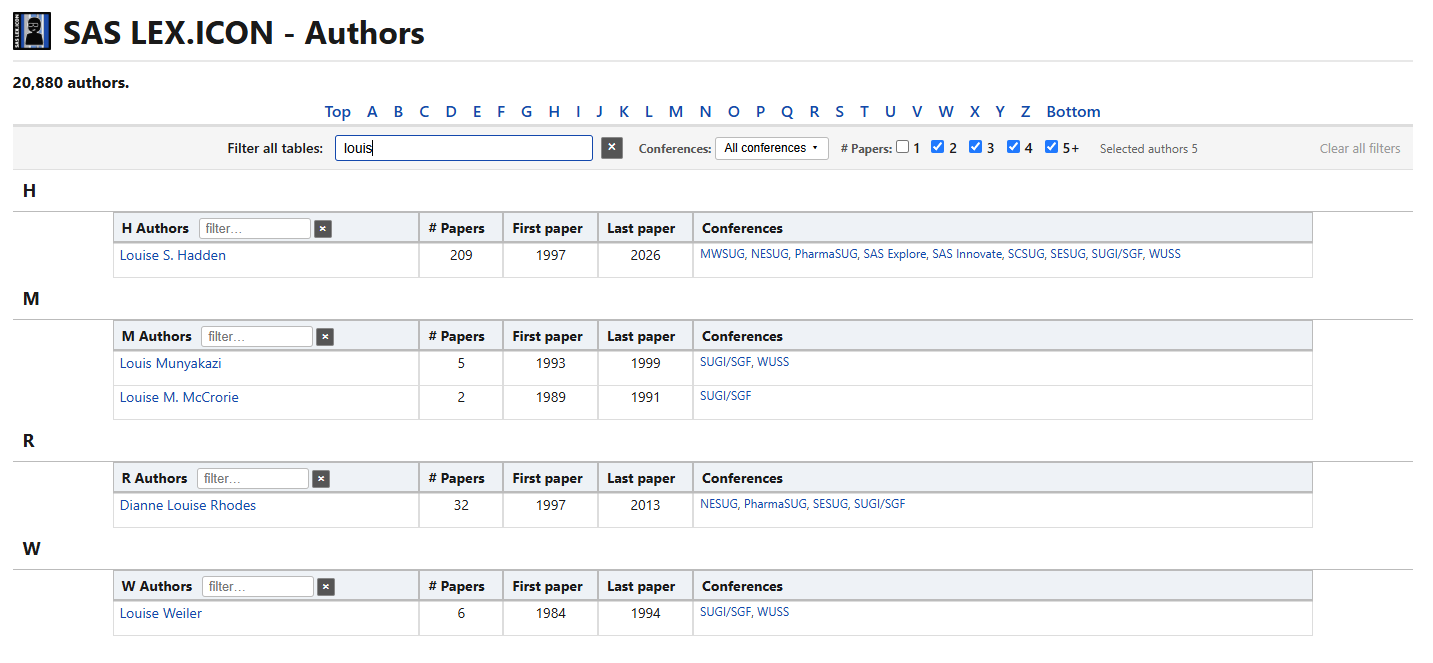
The AUTHORS/KEYWORDS pages are an A-Z list of every author/topic in the archive. You can narrow it down without scrolling:
-
type a word in the "Filter all tables" box at the top to narrow all alphabetic tables;
-
tick the Conferences you care about using a dropdown;
-
tick a minimum # Papers (1 / 2 / 3 / 4 / 5+);
-
or even filter an individual letter table.
Click any author/keyword for their author/keyword page: every paper the author wrote (or was assigned to a topic), newest conference first, with (co)authors as links to their own pages. Both pages also carry the Bibliography button.
5. TIMELINE - conference chronology
A chronological table of every conference, newest first (the conference timeline). Sort by conference or paper count, filter by typing in the header box, and Restore order to put it back newest-first.
6. Identify, share or report a paper
Every paper has a stable address that is its identity:
saslexicon.org/CONFERENCE/YEAR/file.pdfCopy the paper's address from your browser to share or to report a problem.
Found an error - a wrong title, missing author, bad abstract or a broken companion link? See the corrections and errors fixes page for the simple one-minute report format.
